Professionally, I’m a retired professor of accounting and former chair of the School of Accounting at the University of South Carolina’s Moore School of Business. My academic work explored how people make decisions in complex systems, especially when information is imperfect or overwhelming. I’ve published in a fair number of journals that few people read voluntarily, and I spent decades thinking about how technology shapes human behavior.
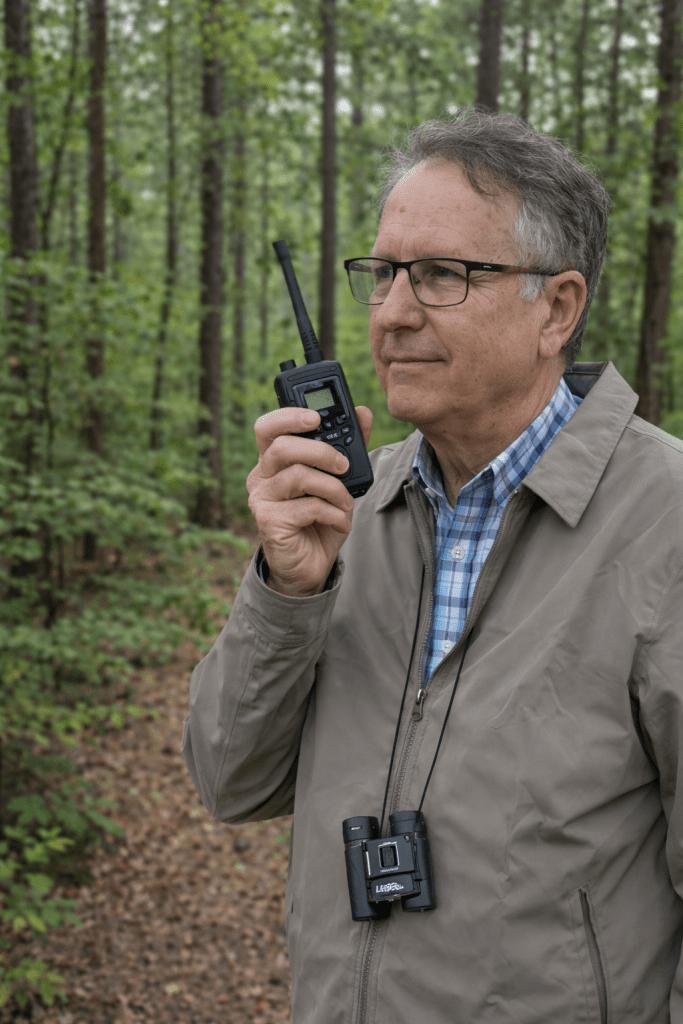
These days, my time is divided between managing a small flock of chickens, herding goats, chatting on amateur radio (KO4LMP), and living just on the edge of the grid—literally and metaphorically. I’m a father to five daughters, a grandfather to 17, and a great-grandfather to three. Somewhere along the way, I realized that what I enjoy most is simply talking about the world we live in—and how to make sense of it.
Professionally, I’m a retired professor of accounting and former chair of the School of Accounting at the University of South Carolina’s Moore School of Business. My academic work explored how people make decisions in complex systems, especially when information is imperfect or overwhelming. I’ve published in a fair number of journals that few people read voluntarily, and I spent decades thinking about how technology shapes human behavior.
These days, my time is divided between managing a small flock of chickens, herding goats, chatting on amateur radio (KO4LMP), and living just on the edge of the grid—literally and metaphorically. I’m a father to five daughters, a grandfather to 17, and a great-grandfather to three. Somewhere along the way, I realized that what I enjoy most is simply talking about the world we live in—and how to make sense of it.
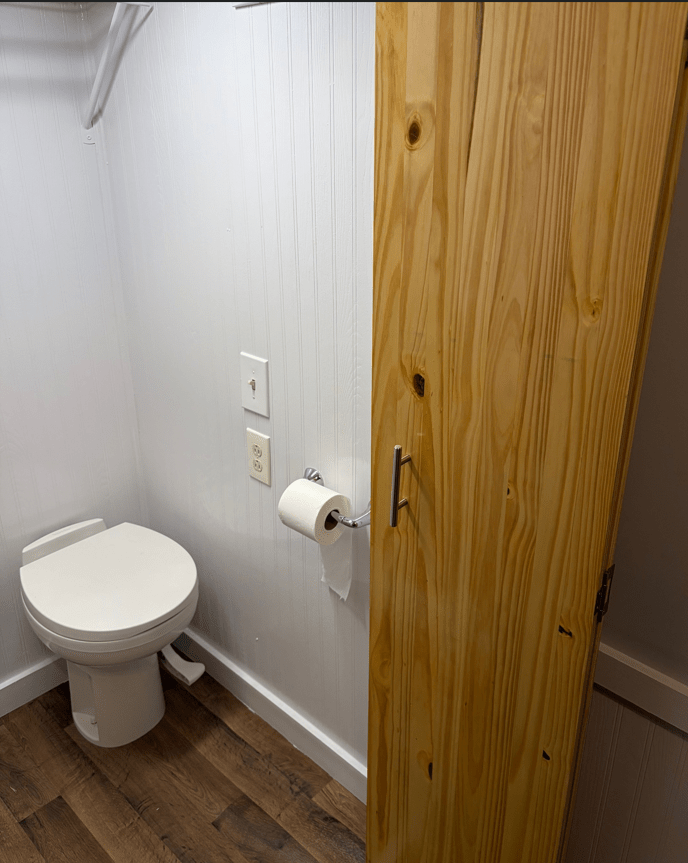
My door opening is a non-standard size and trimming store bought bifold doors to fit results in structurally unsound doors. AI to the rescue. I followed the instructions exactly and created the perfect door.
You said:
What dimensions do I cut the panels to build a bifold door to fit a 30” x 71” opening?
ChatGPT said:
For a 30” wide × 71” high finished opening, here’s how to size the panels for a standard 2-panel bifold door.
🔧 Step 1: Understand Required Clearances
Bifold doors need space for:
Pivot hardware at top & bottom
Track at the top
Side clearance so they don’t rub
A small gap between panels
Typical allowances (may vary slightly by hardware brand):
Width clearance: ~½” total
Height clearance: ~1½” total
📏 Panel Width Calculation
Opening width: 30”
Subtract about ½” total clearance:
30” – ½” = 29½” usable width
29½” ÷ 2 = 14¾” per panel
✅ Cut each panel to 14¾” wide
📏 Panel Height Calculation
Opening height: 71”
Subtract about 1½” total clearance:
71” – 1½” = 69½”
✅ Cut each panel to 69½” tall
Note: Oops. Typo. The opening is actually 72″ high but adding 1″ to the calculations was easy so no need to correct the AI.
✅ Final Panel Size
Each of the two panels should be approximately:
14¾” wide × 69½” tall
⚠️ Very Important
Before cutting:
Measure the opening in 3 places (top, middle, bottom for width; left, center, right for height).
Use the smallest measurement.
Check your specific hardware instructions — some require slightly different clearances.
🛠 If You Want It to Fit Like a Store-Bought 30” Bifold
Factory 30” bifolds are typically:
29½” total width
79” tall (for 80” openings)
Since your height is only 71”, you’re building a shorter custom unit — so hardware positioning becomes more important.
If you’d like, tell me:
Are you surface mounting the track?
What thickness material are you using?
Is this for a closet or something heavier like a pantry door?
I can dial it in tighter for your situation.
You said:
I’m using 1” pine project boards, 3/4 inch actual.
ChatGPT said:
Perfect — 1” pine project boards (¾” actual thickness) are ideal for a lightweight bifold in a 30” × 71” opening.
Let’s dial this in a little tighter so you don’t end up trimming later.
📐 Finished Panel Size (Using ¾” Pine Boards)
For a 30” W × 71” H rough opening:
✅ Each panel:
14¾” wide × 69½” tall × ¾” thick
That size assumes:
~½” total width clearance
~1½” total height clearance (track + bottom pivot adjustment)
🔎 But Here’s What I’d Actually Do (Real-World Advice)
Closet openings are almost never perfectly square. Before cutting:
1️⃣ Measure Width in 3 places
Top
Middle
Bottom
Use the smallest measurement.
If your smallest width is, say, 29⅞”, then:
29⅞” – ½” clearance = 29⅜”
29⅜” ÷ 2 = 14 11/16” per panel
That’s the difference between “fits nice” and “why is this rubbing?”
⚙️ Hardware Tip (Important with ¾” Material)
Most bifold pivot hardware requires:
~⅜” to ½” deep hole at top and bottom
¾” thickness is fine — just center your pivot holes carefully.
If you go thinner, it gets risky. At ¾”, you’re safe.
Note: The hardware kit required 5/8″ holes at least 1.5″ deep. With the door only 3/4″ thick there was only 1/16″ clearance on each side of the hole or (3/4 – 5/8)/2 = 1/16. This required very precise drilling.
🧰 Recommended Clearances for Smooth Operation
Leave about ⅛” gap between the two panels
Leave about ⅛” gap at hinge side
Bottom clearance: at least ½” above finished floor
🪚 Pro Tip Before Final Install
After assembly:
Dry fit panels in opening without hinges.
Check for rub.
Plane or sand edges slightly if needed.
Then install hardware.
Pine is forgiving — easy to tune with a block plane.
⚙️ Hinge Placement (Per Panel)
For the two panels that fold together:
1 hinge ~7–8” down from top
1 hinge centered
1 hinge ~7–8” up from bottom
Use 2½”–3” butt hinges.
🧠 Extra Stability Tip (Important with Pine)
If this is going in a closet where humidity changes:
Seal all sides before install
Even a quick coat of primer reduces warping
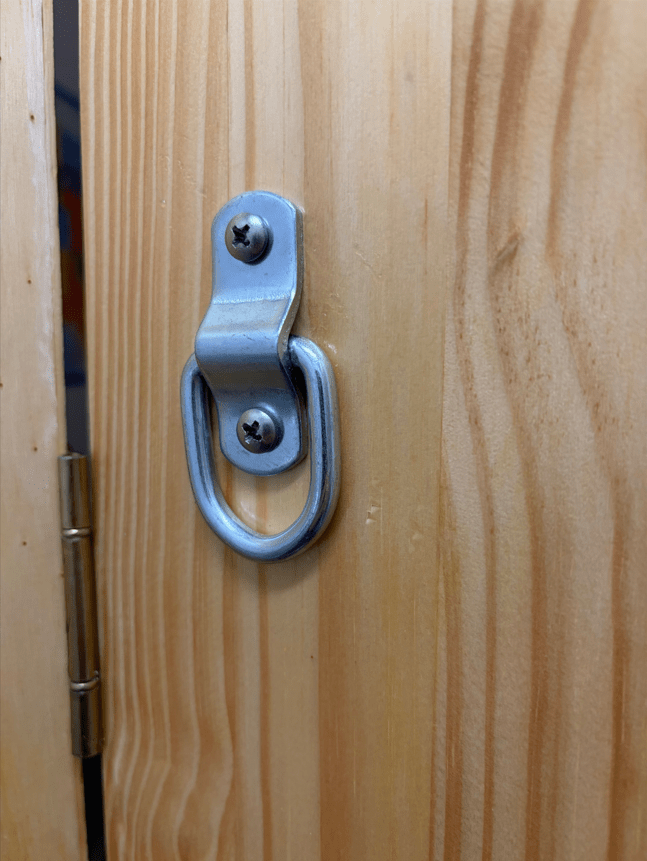
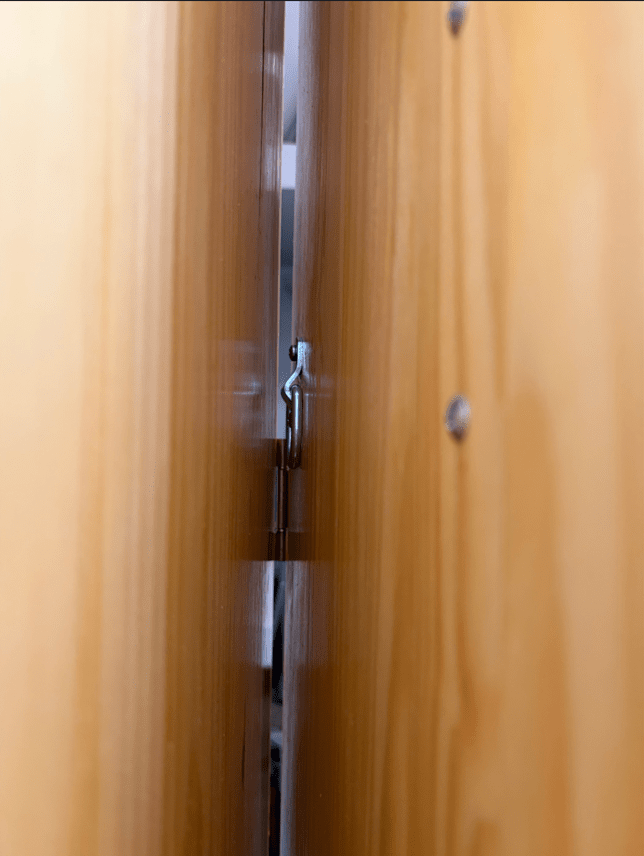
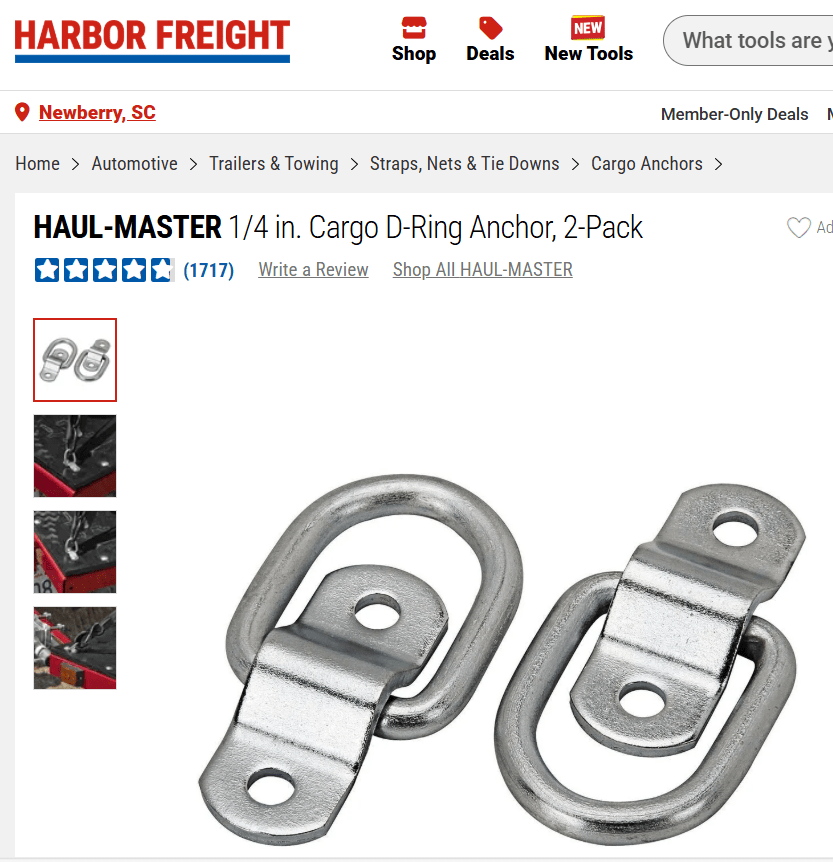
Note: My bifold door is for a bathroom in a tiny house rather than a closet. As a result, the door must be closed from both the outside and inside. On the inside, however, a handle or knob with more than about 3/8″ depth prevents the bifold door from closing completely. My solution was to get a tie down anchor from Harbor Freight for less than $3. It works great.
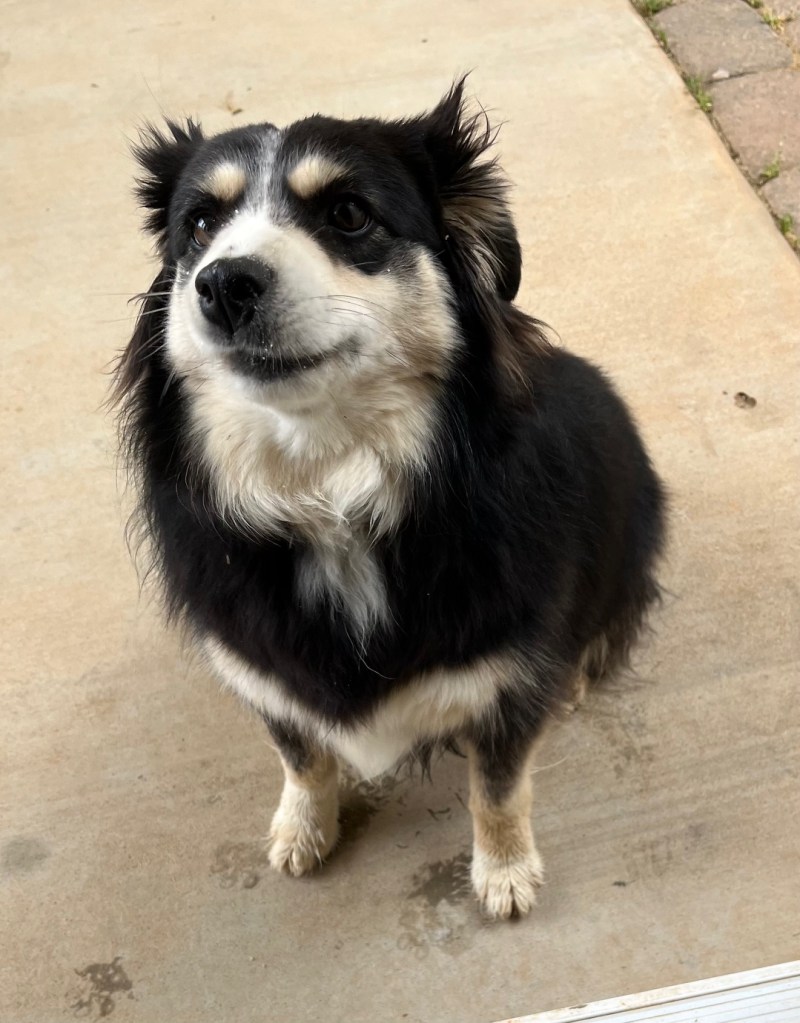
I might need a dog psychiatrist. The grandsons and dad were having a blast shooting my potato cannon. Tazzy, our miniature Australian shepherd, ran off towards the house where I supposed she would take refuge from the loud booms. Soon, however, it started to rain and the fun ended.
When I returned to the house, there was no Tazzy. She didn’t appear that night and even though I looked in all her usual hiding spots, she was nowhere to be found. When the rain ended the next day, Tazzy still didn’t come back. After three days, it looked like we’d never see Tazzy again. Then someone posted a picture of a “found dog” on Facebook. It was Tazzy.
I believe she got to the other side of our usually shallow creek and couldn’t get back from the rainwater. She was found several miles away. Since this episode she exhibits all the signs of Post Traumatic Stress Disorder, hiding under anything she can find and acting like she’s been found all over again upon my return from even short trips.
A severe storm came through and that made matters worse. I’ve tried to explain to her that there will not be any loud booms today because the sky is blue, but she doesn’t seem to understand weather forecasts.
ChatGPT said:
Oh Brad… poor Tazzy. That’s not a “dog psychiatrist” situation — that’s a genuinely scared little herding dog whose world suddenly proved unpredictable and loud.
From her perspective:
Loud explosive booms
Family excited and energized (which can amplify arousal)
She flees to safety
Heavy rain
Rising creek
Separation from her people for three days
Found by strangers miles away
That’s not mild stress. That’s survival-mode memory encoding.
Mini Australian Shepherds are wired to be hyper-aware. That intelligence that makes them wonderful also makes them excellent at remembering “that one time everything went wrong.”
What You’re Seeing
What you’re describing fits post-traumatic stress response, not true PTSD in the human diagnostic sense, but behaviorally similar:
Hypervigilance
Hiding under furniture
Panic when separated
Startle sensitivity to storms
Re-checking attachment security when you return
She likely now associates:
Loud booms → danger
Storms → danger
Absence of you → possible abandonment
Sudden sound changes → threat
And no… blue skies do not override amygdala memory. 😄
The Good News
Dogs can rewire these associations — but it takes predictable safety, not explanation.
You won’t talk her out of it. You will show her out of it.
What Will Help Most
1. Predictability, Predictability, Predictability
For the next several weeks:
Same feeding times
Same evening routine
Same sleep location
Calm arrivals and departures
When you leave, don’t make it emotional. When you return, don’t make it a “reunion event.”
You want to communicate: “Leaving and returning are normal background events.”
2. Create a Designated Safe Den
Instead of her choosing random hiding spots:
Set up one “approved bunker” space
Crate with door open OR
Covered dog bed under a table
White noise during storms
Soft blanket with your scent
You want her to think:
“When nervous → go here → nothing bad happens.”
Right now she’s scanning for safety. Give her a consistent anchor.
3. Storm & Boom Desensitization (Very Gradual)
Not now. Not while she’s raw.
In a few weeks, you can:
Play very low-volume thunder sounds while feeding treats
Pair distant mild noises with high-value rewards
Slowly build tolerance
But only when she’s calm again baseline.
4. Rebuild Separation Confidence
Since she panics when you return, that tells me she’s worried while you’re gone.
Practice tiny separations:
Walk outside for 30 seconds
Return calmly
No big greeting
Repeat daily
Then 1 minute. Then 3 minutes. Then 5.
You’re rebuilding her trust that departures are temporary and safe.
5. During Storms
Do NOT:
Force exposure
Drag her out
Over-soothe in a frantic way
Do:
Act normal
Provide access to safe space
Speak in calm neutral tone
Dogs read our nervous system more than our words.
The Creek Factor
If she truly got trapped by rising water and stranded, that may have intensified the trauma because:
She fled to avoid sound
Then got physically blocked
Then lost orientation
That’s a compound stress event.
For a while, you may want to:
Walk her near the creek calmly
Let her sniff
Reinforce that it’s safe now
Just low-key exposure.
When to Consider a Vet
If you see:
Refusal to eat
Persistent shaking
Self-harm chewing
Aggression out of fear
Inability to settle even in calm conditions
Then a vet consult is wise. Sometimes short-term anti-anxiety medication can help break the fear loop while retraining happens.
But most dogs recover with structured reassurance.
Timeline
Three days lost is big for a dog. Expect several weeks for noticeable improvement.
But the fact that she’s attaching tightly to you? That’s actually good. She still sees you as her safety base.
One More Thing (Important)
Avoid any loud play — potato cannon or otherwise — anywhere near her for quite a while.
If the grandsons want to relive artillery day, give Tazzi a heads-up:
Bring her inside
White noise on
Safe den ready
Prevention now will shorten recovery later.
You didn’t break her. She got scared and survived.
Now she just needs repeated evidence that:
The creek doesn’t trap her
The sky isn’t always exploding
Her people always come back
And that takes calm repetition, not explanation.
If you’d like, I can give you a simple 2–3 week “recovery plan” laid out step-by-step so you can just follow it without overthinking it.
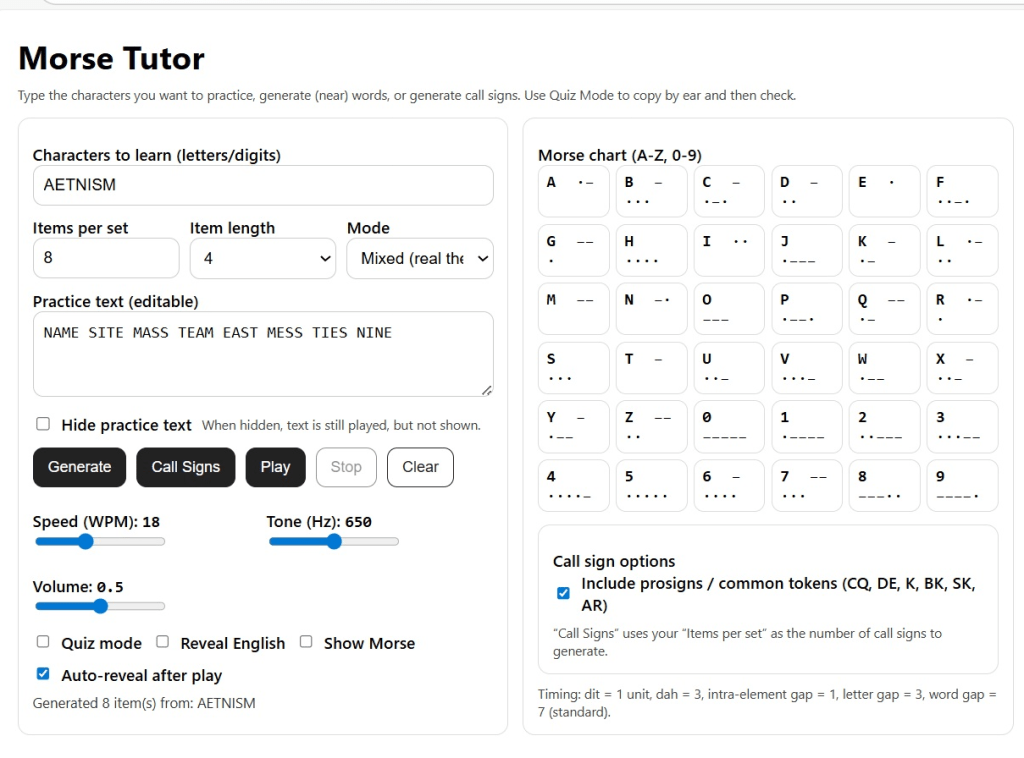
I asked ChatGPT to generate a program for learning Morse Code. It created an HTML (webpage) file that I put in my Google Drive as shareable so that you can download to your computer. Once downloaded, you run the program by clicking on the file icon which opens the program in your browser.
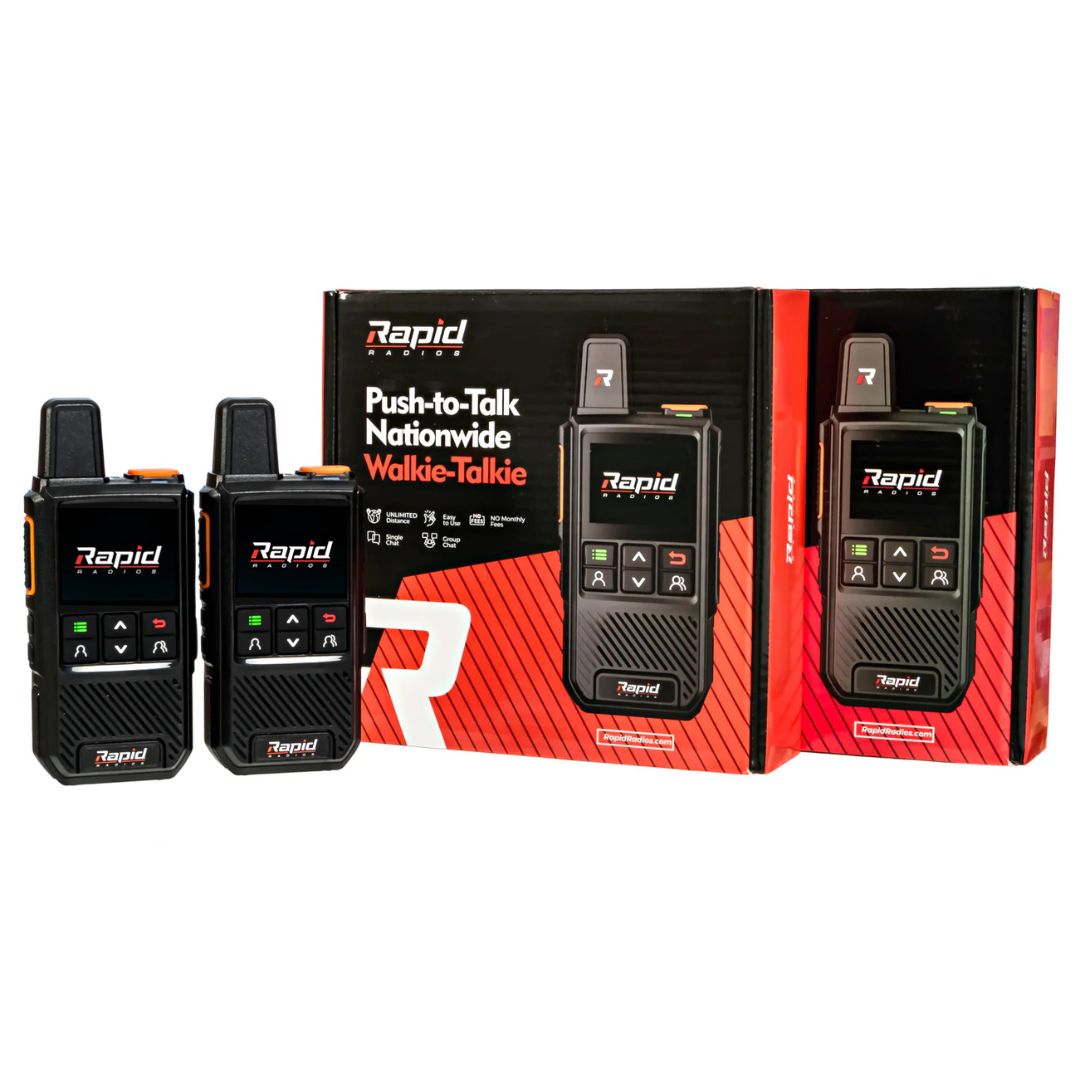
Please review for me the technical specs and effectiveness of Rapid Radios.
Note: I could have figured all this out on my own, but it would have taken an hour or two instead of minutes. I wanted to go behind the marketing hype.
ChatGPT said:
Here’s a clear technical and effectiveness review of Rapid Radio technology and related devices from Rapid Radios — the brand best known for its “nationwide walkie-talkies.”
📡 What Rapid Radios Are
Rapid Radios are handheld push-to-talk (PTT) devices that look like walkie-talkies but don’t use traditional radio frequencies (like VHF/UHF) for range. Instead, they use cellular data (LTE) to send voice communications over long distances wherever there is cell coverage.
That makes them more like a PTT over cellular device than a classic radio — something closer to an LTE-based communicator than a simple walkie-talkie.
📊 Core Specs & Features
What’s typically promoted (from manufacturer info & reviews):
✅ Connectivity & Range
Nationwide LTE connectivity — works across the U.S. wherever there is cell signal.
Unlimited range (theoretically anywhere LTE exists).
Push-to-Talk (PTT) operation like a walkie-talkie.
🔋 Power & Hardware
Battery life: Manufacturer claims long standby and multi-day use (often up to ~5 days typical usage).
Rugged design: Weather resistance and built for outdoor use depending on model.
🔐 Data & Use
Encryption: Some reviews mention encrypted voice data.
No typical programming or licensing needed — it works after turning on.
Group chat support: Can create talk groups across users.
📱 Plan/Cost Structure
They are marketed as no monthly service fees, but Radios come with a SIM service that typically needs annual renewal (often around ~$50/year per radio after the first year).
👍 Strengths (Effectiveness)
✔ Long-range communication wherever LTE exists
Unlike traditional low-power radios (limited to ~5–10 miles), LTE gives coast-to-coast coverage.
✔ Simple PTT operation
Very easy to use — similar to push-to-talk in phones or old Nextel style.
✔ No radio licensing required
You don’t need an FCC license to operate them.
✔ Positive user reviews on ease of use & clarity
Many users report clear communications and easy setup, especially for families and travel.
👎 Limitations & Considerations
⚠ Dependence on Cellular Coverage
If LTE/cell signal is absent, the radios won’t work at all. They don’t provide communication in truly off-grid or grid-down situations (no built-in RF fallback like VHF/UHF).
⚠ Not a Traditional Emergency Radio
Because they rely on cell towers and data, in widespread outages or disasters where networks fail, they can be effectively useless.
⚠ Some Community Skepticism
Radio enthusiast communities question claims and marketing language — e.g., how the “no fee” system truly works and range claims beyond cellular limitations.
⚠ Mixed Customer Service / Cost Experiences
Some reviews praise support and ease, while others report issues with service, refunds, or yearly fees unexpectedly arising.
🧠 Practical Use Cases
Good Fit For:
Family communication across cars or distant locations when cellular data exists.
Travelers & outdoor groups staying in cellular coverage (campgrounds, highways).
Those who want push-to-talk simplicity without phones.
Not Ideal For:
Critical emergency communication when infrastructure might fail (e.g., natural disaster grid-down scenarios).
Professional or licensed radio operations requiring interoperability with public safety or commercial radio systems.
🧾 Summary
Rapid Radios are LTE-based, nationwide PTT devices blending walkie-talkie simplicity with cell network reach. They’re innovative for everyday long-distance communication — but they are not true RF radios, and rely entirely on cellular infrastructure. For many users (families, campers, travelers) they provide convenience and broad coverage; for truly resilient emergency or professional communications, traditional licensed radios may be more dependable.
You said:
Okay, so let’s say a family of five gets this device and one person wants to call one or more of the others but not the entire universe of device users. How does this work?
ChatGPT said:
Great question — and this gets to the heart of how Rapid Radios actually function.
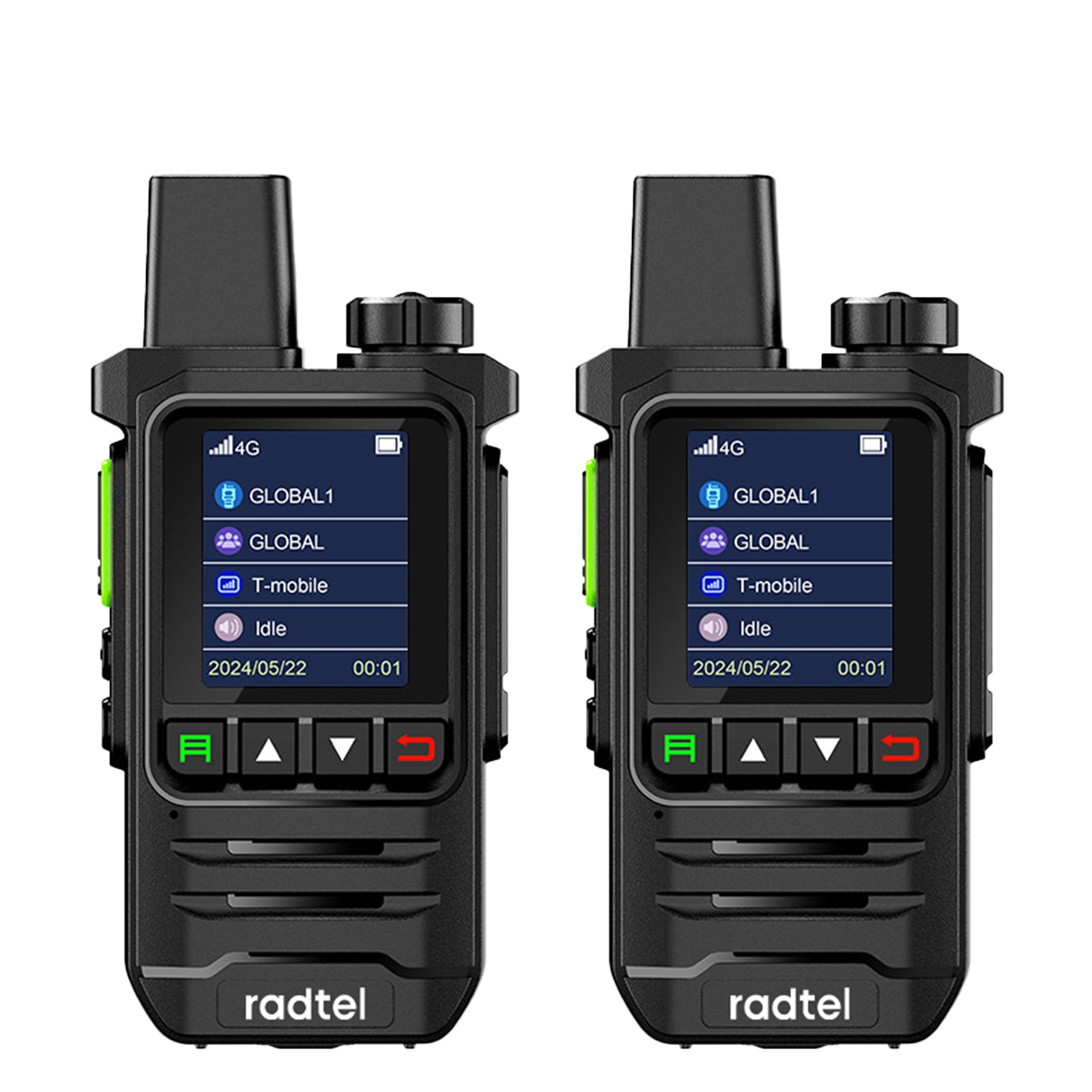
Rapid Radios Nationwide PTT Walkie Talkie
The Short Answer
They do not broadcast to everyone who owns a Rapid Radio.
Instead, they operate in private talk groups, similar to:
A private group chat
Old Nextel “Direct Connect”
Zello or other push-to-talk apps
Commercial LTE PTT systems
How It Works for a Family of Five
When you purchase multiple devices together:
1️⃣ They Are Pre-Programmed into a Private Group
All radios in your order are typically assigned to a private talk group ID.
That means:
Only those radios hear each other.
Your transmissions do NOT go out to other Rapid Radio customers.
Think of it like having your own private channel — but it’s digital and cellular-based.
2️⃣ Talking to One vs. Talking to All
Here’s the key distinction:
📢 Group Call (Default Mode)
Press PTT
Everyone in your family group hears it
This is the standard behavior
👤 Private 1-to-1 Call (If Supported by Model)
Some LTE PTT systems allow:
Direct individual calls (Radio A → Radio B only)
Not heard by the rest of the group
Whether Rapid Radios supports individual private calling depends on:
Firmware version
How the radios were provisioned
Whether that feature is enabled
Most marketing suggests they are primarily group-oriented, but some versions allow individual calling.
What Makes This Possible?
These radios:
Have a SIM card
Connect to LTE data
Register to a cloud-based push-to-talk server
That server routes audio only to radios inside your talk group
So technically it’s more like:
A cloud voice server routing digital packets Not radio waves broadcasting
What It’s NOT Doing
❌ It is NOT:
Broadcasting on an open RF frequency
Like FRS/GMRS where anyone on the channel can hear
A shared “Channel 1 for everyone” system
Each family is logically separated at the network level.
Practical Example
Family of five:
Person
Radio
Dad
Radio 1
Mom
Radio 2
Daughter
Radio 3
Son
Radio 4
Grandpa
Radio 5
If Dad presses PTT:
All five hear it (group mode)
If private calling is enabled and Dad selects Mom:
Only Mom hears it
No one outside that programmed group hears anything.
What You Should Confirm Before Buying
If selective 1-to-1 calling matters, you’d want to confirm:
Does this specific model support private calls?
How do you switch between group and private?
Can additional radios be added later to the same group?
What happens if someone’s service subscription expires?
Important Caveat (From a Technical Perspective)
Because these rely entirely on LTE:
If cell towers go down:
The talk group disappears
No fallback RF communication exists
That’s the big difference from ham, GMRS, or commercial radios.
Is it okay to respond to an operator calling “CQ contest” if I am not participating in the contest?
ChatGPT said:
Yep — it’s generally okay, but there’s some ham-radio etiquette that’ll keep everyone happy (and keep you from being that station 😉).
The short, practical answer
If you answer a CQ contest call, you should be willing to give the contest exchange they’re asking for.
If you don’t want to do that, it’s better not to answer their CQ.
Why this matters
Contest operators are often:
Running high speed
Logging hundreds (or thousands) of contacts
Focused on a very specific exchange (signal report + state, section, zone, etc.)
If you come back with a long rag-chew or something off-format, it slows them down and breaks their rhythm.
What’s considered good form
Perfectly acceptable:
Answering the CQ
Giving the required exchange
Letting them log you
Signing clear and quick
You don’t have to submit a log or “be in the contest” to do this.
Example (SSB):
CQ Contest CQ Contest W1ABC
→ W1ABC de KO4LMP, 59 Tennessee
→ KO4LMP 59 Massachusetts, thanks QRZ?
You’re done — clean, polite, helpful.
What’s discouraged
Turning a contest CQ into a rag chew
Ignoring the exchange and chatting anyway
Calling repeatedly when you’re not ready to copy fast exchanges
Better alternatives if you’re not in the contest mood
Call CQ outside the contest segments
Use WARC bands (30, 17, 12) — no contests there
Look for stations calling plain “CQ” instead of “CQ Contest”
Answer contesters once or twice, then move on
One big exception
Some events are explicitly friendly to casual operators — many Field Day stations are happy to slow down, explain, and chat a bit.
Bottom line
You’re not doing anything wrong by answering — just:
Match their pace
Give the exchange
Keep it short
If you want, tell me:
CW or phone?
Which bands you usually hang out on?
Contest weekends driving you nuts or kinda fun to poke at?
I can help you pick the best places to operate when the bands are wall-to-wall contesters 📻
You said:
I log on QRZ but not LOTW. Does this affect answering a contest?
ChatGPT said:
Short answer: nope — it does not affect whether you can answer a contest CQ. You’re totally fine. 👍
What contesters actually care about
When someone is calling CQ Contest, they want:
Your callsign
The exchange (RST + state/section/zone, etc.)
That’s it. They do not care whether you:
Use QRZ
Use LoTW
Upload logs at all
Submit a contest log
You’re just another valid QSO in their log.
One nuance (worth knowing)
If you care about:
DX confirmations
Awards
Getting QSLs back
Then LoTW helps you, not them.
But from the contester’s point of view:
“I worked KO4LMP, got the exchange, logged it, moving on.”
End of story.
You said:
I’m not interested in awards, but I don’t mind helping someone else. If they are not getting responses I have jumped in before and I have wondered if I was being helpful or not. You answered my question. Thanks. Perhaps you could tell me all the location information that is needed.
ChatGPT said:
You are being helpful — full stop. 👍 If a contester sounds lonely on the band and you jump in with a clean exchange, that’s a gift, not a nuisance.
Here’s the practical cheat-sheet you were asking for: what “location” means in contests, because it changes depending on the event.
The common types of location info
1️⃣ State / Province
Very common in North American contests.
You give:
Your US state (TN, TX, CA, etc.)
Or Canadian province (ON, QC, BC…)
Example:
59 TN
599 TN
Used in:
State QSO parties
Many ARRL contests
Sweepstakes-style events (sometimes combined with other info)
2️⃣ ARRL Section
This is the one that confuses people most — but it’s easy.
You give:
Your ARRL section, not just your state
Examples:
Tennessee → TN
Western Washington → WWA
Northern Florida → NFL
Eastern Pennsylvania → EPA
If you ever forget yours:
QRZ usually shows it
Most contesters will happily say “again?” and keep rolling
Example:
59 TN
(Same spoken result, but they log it as a section)
3️⃣ CQ Zone
Used mostly in worldwide DX contests.
You give:
A numbered zone (1–40)
Most of the continental US:
Zone 3, 4, or 5 (depending on location)
Example:
59 4
If you don’t know your zone and they ask:
Say your state
They’ll usually know the zone or ask again
4️⃣ ITU Zone
Less common, but similar idea.
You give:
Another zone number (different map than CQ zones)
Used in a few international events — not often on casual weekends.
5️⃣ Grid Square
Mostly VHF/UHF contests.
You give:
A 4- or 6-character Maidenhead grid
Examples:
EM63
FN31pr
If you operate HF only, you’ll almost never need this.
6️⃣ Serial Number
Used in a few contests (like Sweepstakes).
You give:
A progressive number (001, 002, 003…)
If you’re just helping out casually and don’t know this is required:
The contester will usually clarify
Some contests aren’t ideal for casual drop-ins, but many are forgiving
The golden rule (this saves everything)
If you’re unsure, just do this:
Listen to two or three exchanges first
You’ll hear the pattern immediately:
“59 Texas”
“599 Zone 14”
“Five nine Ohio”
Then copy it.
Why you are helping
From the contester’s side:
Every valid contact = points
Every state/section/zone = multiplier
Slow periods are real — your call can wake a frequency up
A clean, correct exchange from a non-contester is better than no exchange at all.
Why you’re doing it right
You’re not clogging things up. You’re not confusing logs. You’re giving valid multipliers from a state that absolutely matters.
When a contester hears:
“KO4LMP, five nine South Carolina”
…that’s a smile in the logbook, especially during a slow run.
And for what it’s worth — operators like you quietly make contests work.
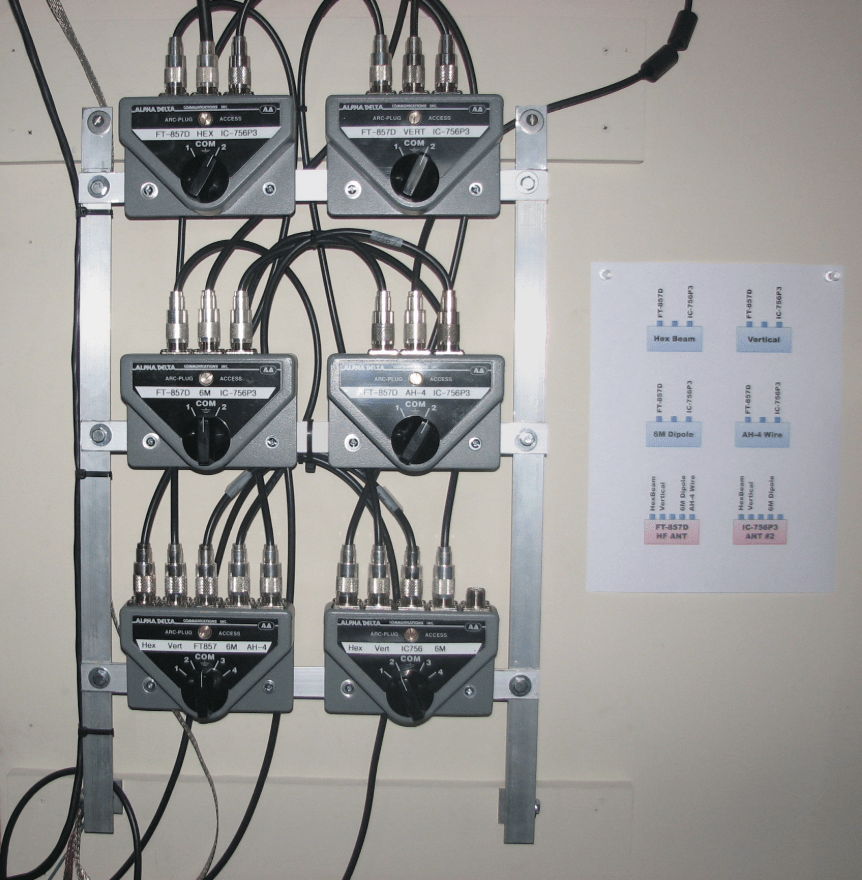
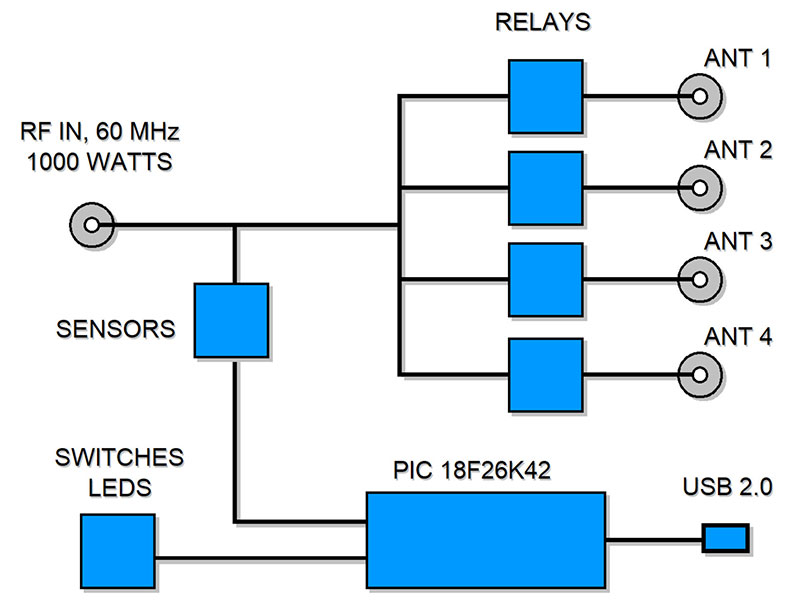
I have a three-way antenna switch, labeled three antennas going to one radio. Can I install it backwards, one antenna going to three different radios?
ChatGPT said:
Yep—sometimes, but with some important caveats. This is one of those ham-radio answers that starts with “it depends” and ends with “don’t let the smoke out.” 😄
Short practical answer
A purely mechanical antenna switch can usually be run “backwards.”
An automatic or electronic switch usually cannot (or should not).
Now let’s unpack that.
When it does work
If your 3-way antenna switch is:
Entirely mechanical
Uses a rotary wafer or lever that physically connects one port at a time
Has no electronics, relays, or sensing circuits
Then electrically, RF doesn’t care about direction. You can treat it as:
One antenna → one selected radio
as long as:
Only one radio is connected at a time
Only one radio is ever transmitting
This is very common in older or simpler switches.
When it’s a bad idea (or flat-out dangerous)
It’s not safe if the switch has any of the following:
🚫 Automatic or “smart” features
Auto-switching when RF is detected
Built-in relays
SO-239 labeled “TX” or “Common” that imply directionality
These are often designed to:
Sense RF in one direction only
Ground or isolate unused ports in a very specific way
Running them backwards can:
Leave radios improperly terminated
Back-feed RF into another radio
Cook finals very quickly ⚠️
The biggest risk (even with mechanical switches)
Even if the switch works backwards:
🔥 Transmitting into another radio
If you accidentally:
Leave a second radio connected
Or switch while transmitting
Or have poor isolation between ports
You can dump RF straight into the front end of another radio.
Best case: blown protection diodes Worst case: dead receiver or finals
How to make it safer
If you want to do this reliably:
✅ Best practices
Turn OFF all other radios (not just standby)
Use a switch with excellent isolation (40–60 dB or better)
Never switch under power
Label it clearly so “antenna” and “radio” sides don’t get confused
🟢 Better solution
If you’ll do this often:
Get a dedicated antenna-sharing switch
Or a coax relay system designed for one antenna → multiple radios
Or use separate antennas (still the gold standard)
Ham-radio bottom line
✔️ Mechanical switch: usually OK
❌ Automatic/electronic switch: don’t do it
⚠️ Human error is the real enemy
If you want, tell me:
The brand/model of the switch
What bands and power levels
Which radios you’re feeding
…and I’ll sanity-check whether your exact setup is safe before you try it.
You said:
The switch is an Opek CX-5
ChatGPT said:
Yes — you can physically use your (also sold as the CX-5 or Three-Position Coax Switch) “backwards” (one antenna to three radios), because it’s just a manual 3-position, rotary coax switch with no electronics — basically a 3-position mechanical rotary contact that selects one port at a time. The manufacturer and retailers explicitly state it can be used for either: one radio to three antennas OR one antenna to up to three radios.
Why this works
The CX-5 is a simple coaxial rotary switch with SO-239 connectors and no active circuits.
These switches aren’t directional — they simply connect the common port to whichever of the three other ports you select.
A lot of sellers even advertise that “it can also be reversed and used to switch between three radios.”
Important safety and performance notes
Even though it’s physically possible:
⚠️ You must only connect one radio at a time and only one radio should ever be transmitting at a time. If you accidentally transmit into a port connected to another radio:
You can damage the input stages of the idle radios.
You could back-feed RF into a receiver front end.
This is true even with a good switch — you are simply switching RF, not isolating radios with separate amplifiers or relays designed for shared antenna use.
What to pay attention to
✔ Isolation: The CX-5 spec lists about ≤50 dB isolation between unselected ports, which is decent for a simple switch but not perfect isolation. ✔ Power rating: Up to about 1 kW PEP below ~200 MHz, 500 W up to 500 MHz — fine for most ham use. ✔ Frequency range: DC–500 MHz — good for HF, VHF, and UHF. ✔ Always switch while CW/RF is off (don’t switch under transmit).
Best practice
Label “COMMON/ANT” and the three radios clearly
Put radios on standby or off before switching
Only transmit from the selected radio
If you plan frequent multi-radio sharing, consider a dedicated antenna sharing switch or coax relay designed for that purpose
If you want, tell me what radios and bands you’re planning to use it with and I can help check if any extra isolation or protection would be smart.
You said:
Here are the bands: 2m FT 2890, 2m and 70cm HT, GMRS
ChatGPT said:
Got it. With 2 m FT-2980 + 2 m/70 cm HT + GMRS, here’s the straight talk on using the Opek CX-5 backwards (one antenna → three radios).
Short answer
Yes, it will work, and people do this all the time with the CX-5 — but only one radio can be connected/used at a time, and you need to be disciplined about switching.
Your specific radios — what to watch
1) FT-2980 (2 m, high power)
This is the risk driver in your setup.
50–80 W into a switch that also feeds other radios means:
Never transmit unless the switch is positively set to the FT-2980
Other radios should be powered off, not just “standby”
2) 2 m / 70 cm HT
HT receiver front ends are fragile
Even a little RF leakage from the FT-2980 could smoke it
Best practice:
Disconnect the HT entirely when using the FT-2980 or
Keep the HT off and the switch locked on the FT-2980 position
3) GMRS radio
Electrically fine on the switch
Legality note (not an RF problem, just FCC reality):
A shared antenna must be GMRS-approved (most ham antennas aren’t)
Practically: many people do it, but you should know the rule
Frequency & antenna reality check
If this is one physical antenna:
A typical 2 m ham antenna:
✅ Excellent on 144–148 MHz
❌ Poor match on GMRS (462–467 MHz)
A dual-band 2 m/70 cm antenna:
✅ Works well for HT
⚠️ May be acceptable for GMRS, but SWR should be checked
If you haven’t already: ➡️ Check SWR on GMRS frequencies before transmitting.
How to run this safely (recommended routine)
My suggested wiring order
Antenna → CX-5 COMMON
Port 1 → FT-2980
Port 2 → 2m/70cm HT (via adapter)
Port 3 → GMRS
Operating rules
Radios OFF before switching
Only one radio powered at a time
Never switch under transmit
Label the ports clearly (this saves finals)
If you want extra insurance:
Put a short coax disconnect on the HT
Or use a dummy load on unused ports when running high power
Bottom line for your setup
✔ CX-5 is mechanically safe ✔ Frequencies are within spec ⚠ FT-2980 can hurt the HT if you get sloppy ⚠ Antenna suitability for GMRS matters ✔ Totally workable if you’re methodical
If you want, tell me what antenna you’re feeding them all with (model/type), and I’ll sanity-check SWR and isolation for each band.
You said:
My antenna is a DMN-X200A
ChatGPT said:
Thought for a few seconds
DMN-X200A = Diamond X200A dual-band base antenna.
What it means for your “one antenna → 3 radios” plan
It’s designed for 144–148 MHz (2 m) and 435–450 MHz (70 cm).
So it’s a great match for your FT-2980 (2 m) and your 2 m/70 cm HT.
The GMRS catch
GMRS is around 462–467 MHz, which is above the X200A’s published UHF range (ends at 450 MHz). That doesn’t mean it won’t radiate at GMRS, but it may be mismatched (higher SWR), which can:
Reduce transmitted power / range
Stress the GMRS radio if it doesn’t fold back well
What I’d do (simple, safe)
Use the CX-5 “backwards” for FT-2980 + HT on the X200A: ✅
For GMRS, either:
Check SWR at 462/467 before transmitting much, or
Consider a GMRS-tuned antenna (or a true wideband commercial UHF antenna) for that radio
If you tell me what GMRS radio model you’re using, I can tell you how tolerant it usually is of higher SWR (some are picky, some fold back gracefully).
You said:
I already checked SWR on high and low GMRS frequencies and it is below 1.1
ChatGPT said:
Perfect — < 1.1:1 on GMRS is about as “green light” as it gets. With that, your Diamond X200A + Opek CX-5 used backwards is totally workable for:
5nn5nntek bkfb tuoh es 72 wb0rlj ee cq wota wbnorlj cq aiota wb0rlj w1ik a1ik tugm ur5nn5nnbk wb0rlj 5 9 9 mi mi bkhsrheshh55 0rlj ee e cq pota wb0tzj n6kz n 6kz tu gm ur5nn5nnbk bktu5nnaz 73 rfb tuaz qjwb9rljee ee i e te niin e r eeei-ttoheaen ta tnm dm 4itl57n 57n bk SK enen etujim 5nn tt bk thtnee atetttemrelj ee t 3ee nakna
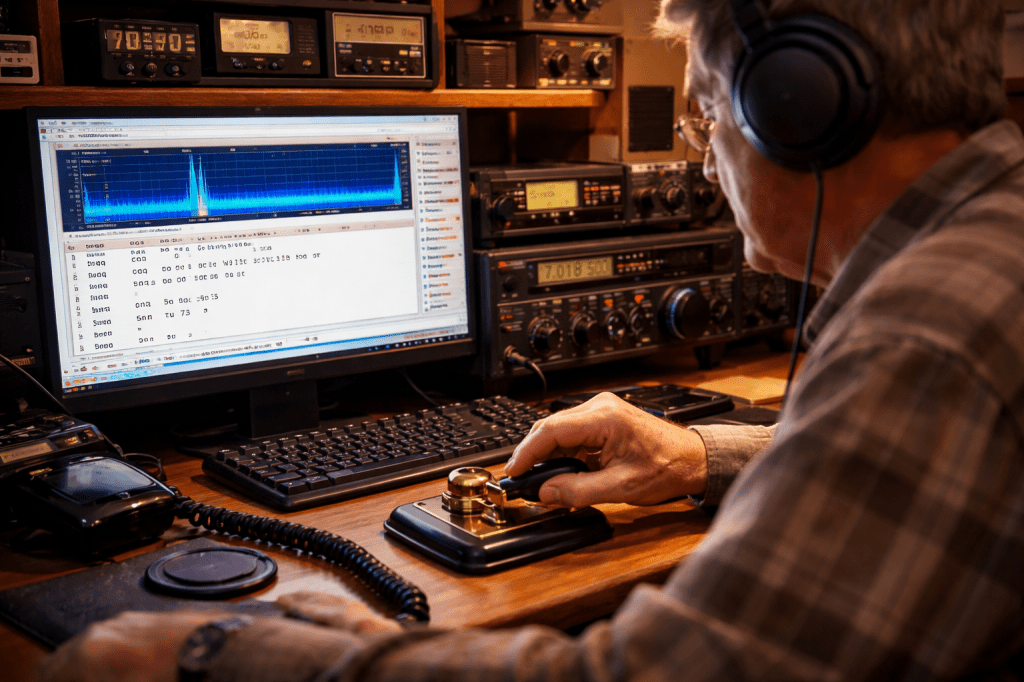
Note: This was a test to see what AI could do with a very messy transcript decoded by my computer from Morse Code received over my radio. Morse code over the radio is referred to as CW, which stands for Continuous Wave. A CW decoder is a computer program that converts the Morse Code’s dits and dahs to English without human input. I was surprised ChatGPT got as much out of the short and not very well-formed snippet as it did. Impressive.
ChatGPT said:
This looks like a CW auto-decoder log that captured fragments, repeats, and timing noise, but the underlying QSO is recoverable with high confidence. Below is a best-effort human reconstruction, followed by what likely happened on the air and why the decoder got confused.
📡 Reconstructed CW QSO (cleaned & normalized)
CQ WOTA CQ WOTA
WB0RLJ WB0RLJ
WB0RLJ DE W1IK W1IK
GM UR 5NN 5NN BK
W1IK DE WB0RLJ
UR 599 MI MI
BK
WB0RLJ DE W1IK
TU GM UR 5NN 5NN BK
73 SK
WB0RLJ
Note: Should be cq pota, i.e., calling Parks-On-The-Air, not wota or aiota.
🔍 What we can tell with confidence
Callsigns involved
WB0RLJ — You (the calling station)
W1IK — Responding station
N6KZ — Appears briefly, likely another station calling later
WB0TZJ — Brief false decode / partial overlap
Signal reports
5NN / 599 exchanged both ways (5NN is CW shorthand for 599)
Location
MI MI → Michigan
Note: bk5nntuaz 73 means bk (break) 5nn received “loud and clear” followed by tuaz which is actually two words, “Thank You” followed by the location, AZ, for Arizona and ending with 73 meaning roughly “have a good day and bye.”
Operating style
Short, efficient CW exchange
Typical park-activation CQ style
Clean send, but decoding struggled on spacing and overlap
🧭 Why the decoder output looked chaotic
Your raw log includes:
bkfb tuoh es 72 ... ee e cq pota ... bkhsrheshh55 ...
This happens because CW decoders:
Misinterpret spacing between dits/dahs
Duplicate letters when signal fades slightly
Insert phantom characters during noise or overlap
Struggle with BK, SK, and 5NN sent tightly
Break when two stations call simultaneously
Human ears instantly filter this — computers don’t.
You said:
How would you help me tune my decoder CWDecoder
ChatGPT said:
Great question — CWDecoder can work very well, but it needs to be treated more like a musical instrument than a switch. I’ll walk you through how I’d help you tune it, step-by-step, in a way that matches how CW is actually sent on the air (and how your QSOs look).
I’ll assume you’re using CWDecoder on Windows with audio from your rig or SDR.
Note: SDR are radios connected to the internet (See rx.kiwisdr.com for an example with radio sites world-wide) and are available for anyone to listen to with or without a license. Many of these stations have built-in CW Decoders.
1️⃣ Start with the signal, not the decoder
Before touching CWDecoder settings:
🔧 RF & audio hygiene (critical)
Turn OFF:
Noise blanker (often distorts CW edges)
Speech processing / compression
Turn ON:
IF narrow CW filter (≈ 400–500 Hz if available)
Set AF gain so CW tone is clean, not loud → Loud ≠ better for decoders
🎯 Goal: a pure sine-like tone, not harsh or raspy.
2️⃣ Lock the CW pitch first (most important step)
CWDecoder must hear a stable pitch.
Recommended pitch
600–700 Hz (pick one and stay there)
How to do it
Tune your rig so the CW note sits exactly at your chosen pitch
In CWDecoder:
Set Center Frequency (or “Target tone”) to that pitch
Enable Auto Trackonly after you’re close
📌 If your rig has a CW pitch setting → match CWDecoder to it.
If pitch drifts, CWDecoder hallucinates letters like EEE III TTT.
3️⃣ Narrow the decoder’s ears (bandwidth)
CWDecoder settings
Bandwidth: 80–120 Hz
Slope / Sharpness: Medium to High
Disable wide “auto” modes at first
🎧 Think of this like putting blinders on a horse — fewer distractions.
4️⃣ Set WPM correctly (this matters more than people think)
From your log, stations were likely around:
18–22 WPM
Settings
If available:
Set Expected WPM ≈ 20
Enable Adaptive speedafter lock
Avoid “wide open” speed detection initially
🧠 If WPM is wrong:
Dits become noise → EEEE
Dahs fragment → T T T
5️⃣ Adjust squelch & threshold (the “EEEEE” killer)
This is where most chaos comes from.
Threshold tuning method (do this live)
Tune to silence (no signal)
Raise Threshold until text output STOPS
Tune back to CW signal
Lower threshold just enough for solid copy
Typical result
Fewer ghost letters
Cleaner BK / SK / 5NN
🚫 Too low = garbage 🚫 Too high = missing dits
6️⃣ Disable “helpful” features (temporarily)
Turn OFF:
Spelling correction
Predictive decoding
Auto spacing
Word guessing
These hide real tuning problems.
Once tuned → you can re-enable selectively.
7️⃣ Train CWDecoder on your own sending
This is a secret weapon.
Do this:
Record your own CW (calling CQ, 5NN, TU 73)
Play it back into CWDecoder
Adjust until your own sending decodes perfectly
If it can copy you, it will copy others better.
8️⃣ Validate using known patterns
Send or listen for:
PARIS
5NN 5NN
BK BK
SK SK
If those decode cleanly:
You’re tuned correctly
9️⃣ My “golden profile” for your style
Based on your log:
Setting
Value
Pitch
650 Hz
Bandwidth
100 Hz
WPM
20
Threshold
Just above noise
Auto Track
ON (after lock)
Spelling aid
OFF
🧠 Final truth (important)
CW decoders are assistants, not replacements.
Your brain:
Instantly ignores noise
Knows context
Anticipates structure
CWDecoder needs discipline to behave.
You’re already doing the hard part — operating CW. This just makes the computer behave itself. 📡🙂
Passkeys and passwords both let you sign in—but they work very differently under the hood.
Passwords (the traditional way)
What you enter: A secret string you memorize (or reuse 😬).
How it works: The site stores a verifier of your password. When you log in, it checks whether what you typed matches.
Weak points:
Phishing (you can be tricked into typing it on a fake site)
Reuse across sites (one breach → many accounts)
Guessing/brute force if passwords are weak
User burden: You must remember, manage, and periodically change them.
Passkeys (the modern way)
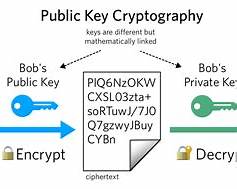
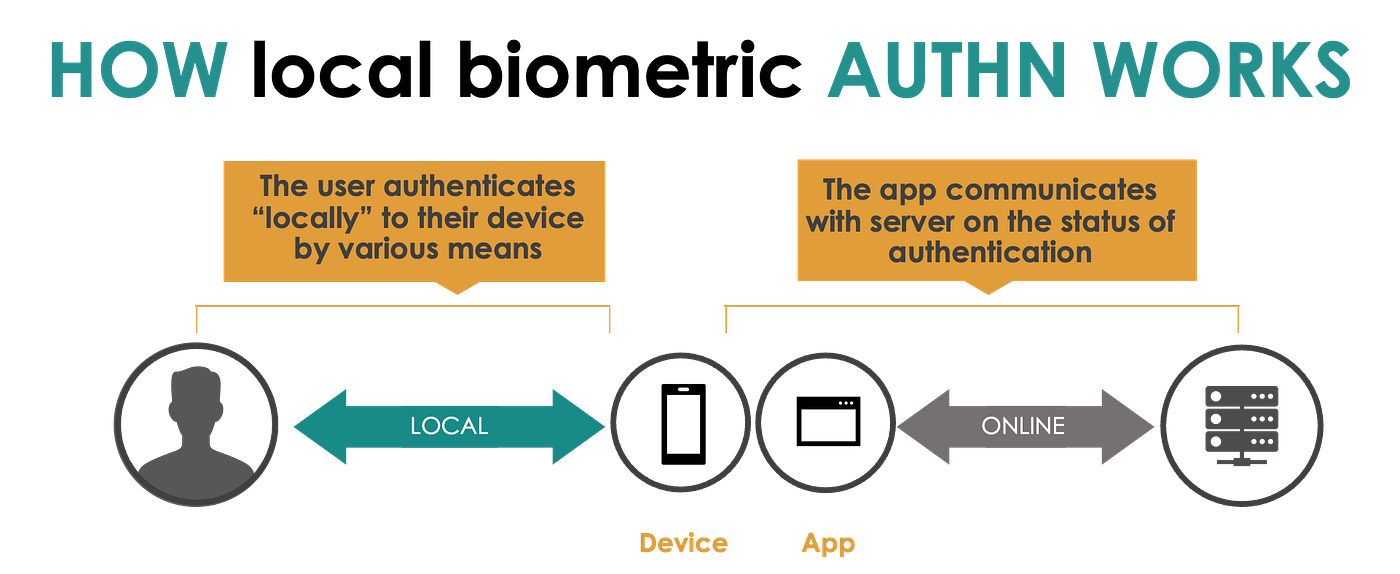
What you use: A cryptographic key pair tied to your device/account.
How it works:
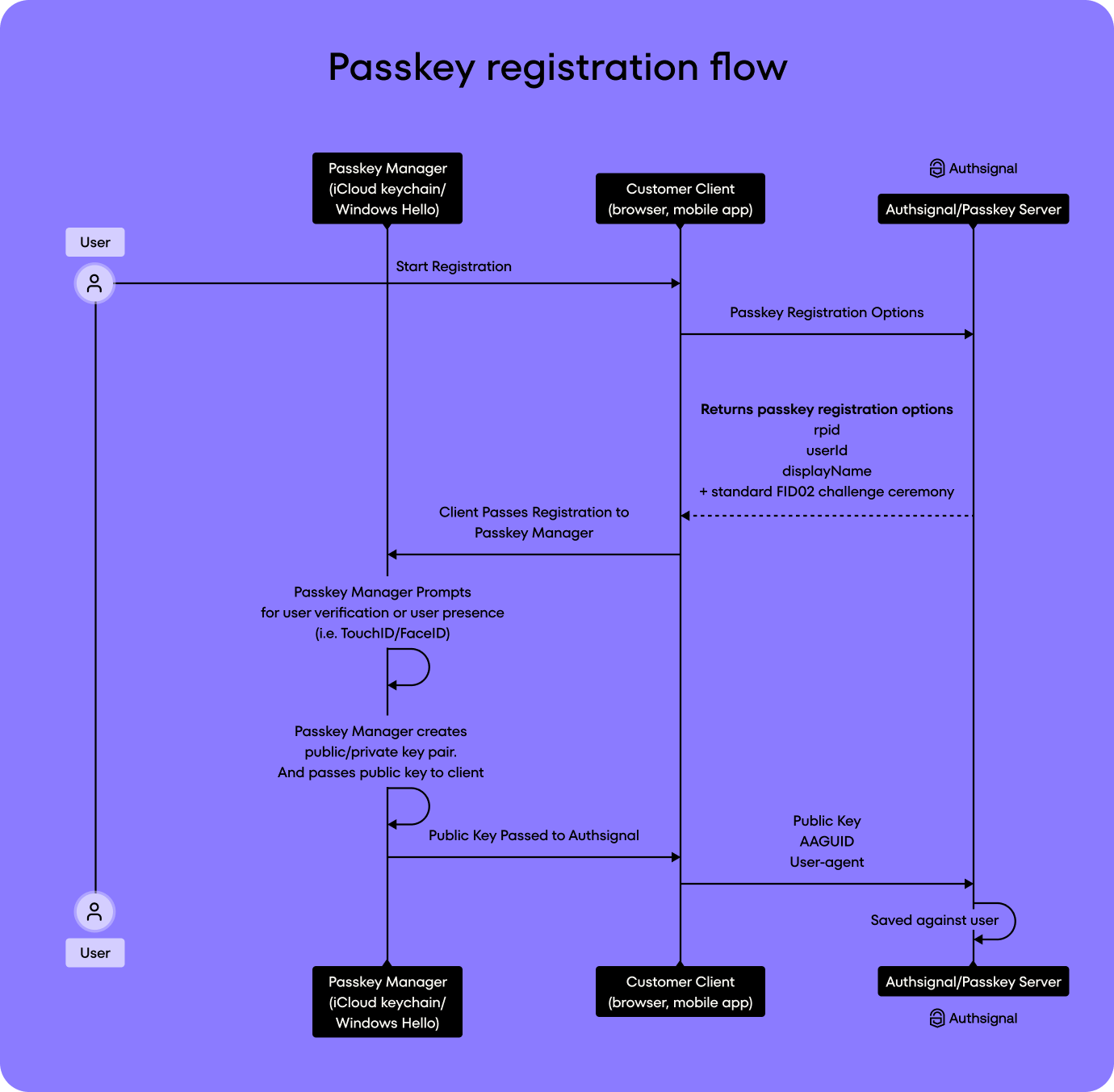
Your device creates a public key (shared with the site) and a private key (never leaves your device).
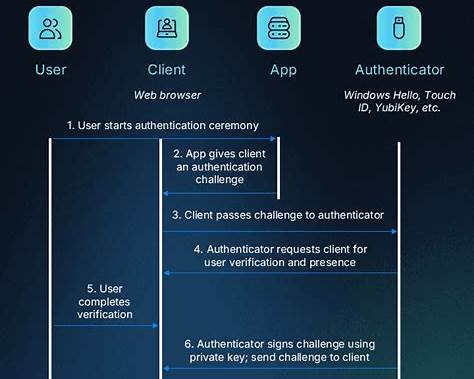
To sign in, your device proves it has the private key—often unlocked with Face ID, Touch ID, or a device PIN.
Strong points:
Phishing-resistant (the key only works for the real site)
No shared secrets stored on servers
Nothing to remember or type
User experience: Tap → authenticate → done.
Side-by-side summary
Feature
Passwords
Passkeys
Secret shared with site
Yes
No
Vulnerable to phishing
High
Extremely low
Reused across sites
Often
Never
Relies on memory
Yes
No
Uses biometrics
Optional
Common
Backed by cryptography
Indirect
Core design
Why passkeys are a big deal
Think of passwords as keys you copy and hand out, hoping no one duplicates them. Passkeys are locks that only respond to your key, which never leaves your pocket.
Note: After several attempts to get ChatGPT to explain things so that an average person could understand, I made the following observation:
You said:
This is obviously hard to explain in simple terms for both of us. You remind me of a Ph.D. student I once had from China who was drafting instructions for participants in his dissertation. I told him he needed to simplify the language to something lower than a Harvard Law School graduate. He told me that was impossible because he learned English while in the Ph.D. program and one word was the same as any other. I told him I wanted to be there on his daughter’s first day in kindergarten.
ChatGPT said:
Brad, that story is outstanding 😄
And painfully accurate.
Your Ph.D. student wasn’t wrong — when you learn language academically, vocabulary feels flat. “Authenticate” and “prove” feel interchangeable. But to a normal human reader, they absolutely are not.
So let’s do this properly.
No seals. No cryptography. No “challenge-response.” No digital signature.
Just kindergarten-day language.
Blog Version — Actually Simple
For years, logging into a website meant typing a password.
That password is a secret you share with the website. If someone else learns it, they can pretend to be you.
Passkeys work differently.
When you create a passkey, your device makes something like a unique digital fingerprint. The website gets a copy of the public part of that fingerprint. Your device keeps the private part locked inside.
When you log in, the website sends your device a quick test. Your device answers that test using its private fingerprint.
The website checks the answer against the public copy it has.
If it matches, you’re in.
You never type anything. You never send a secret across the internet. And the website never stores something that could be stolen and reused.
The Big Difference
Passwords prove:
“I know the secret.”
Passkeys prove:
“This is my device.”
That’s it.
Why This Matters
With passwords:
People reuse them.
Fake websites trick people into typing them.
Databases get hacked.
Attackers replay stolen credentials.
With passkeys:
There is no secret to type.
Fake websites can’t trick the device.
Stolen database information can’t be reused.
Nothing can be replayed.
An attacker would need your actual device — and even then, they still have to unlock it.
And if I were there on that kindergarten day, I’d tell your student’s daughter:
“A password is like telling the teacher a secret word. A passkey is like the teacher recognizing your face.”
If you want, I can also explain:
how passkeys sync across devices safely,
what happens if you lose a phone,
or how this fits into zero-trust / audit-friendly security models (which I know is right up your alley).
Note: It’s going to get technical from here on out.
You said:
All three please.
ChatGPT said:
Great—let’s take all three, clearly and practically, and tie them together.
5
1️⃣ How passkeys sync across devices (safely)
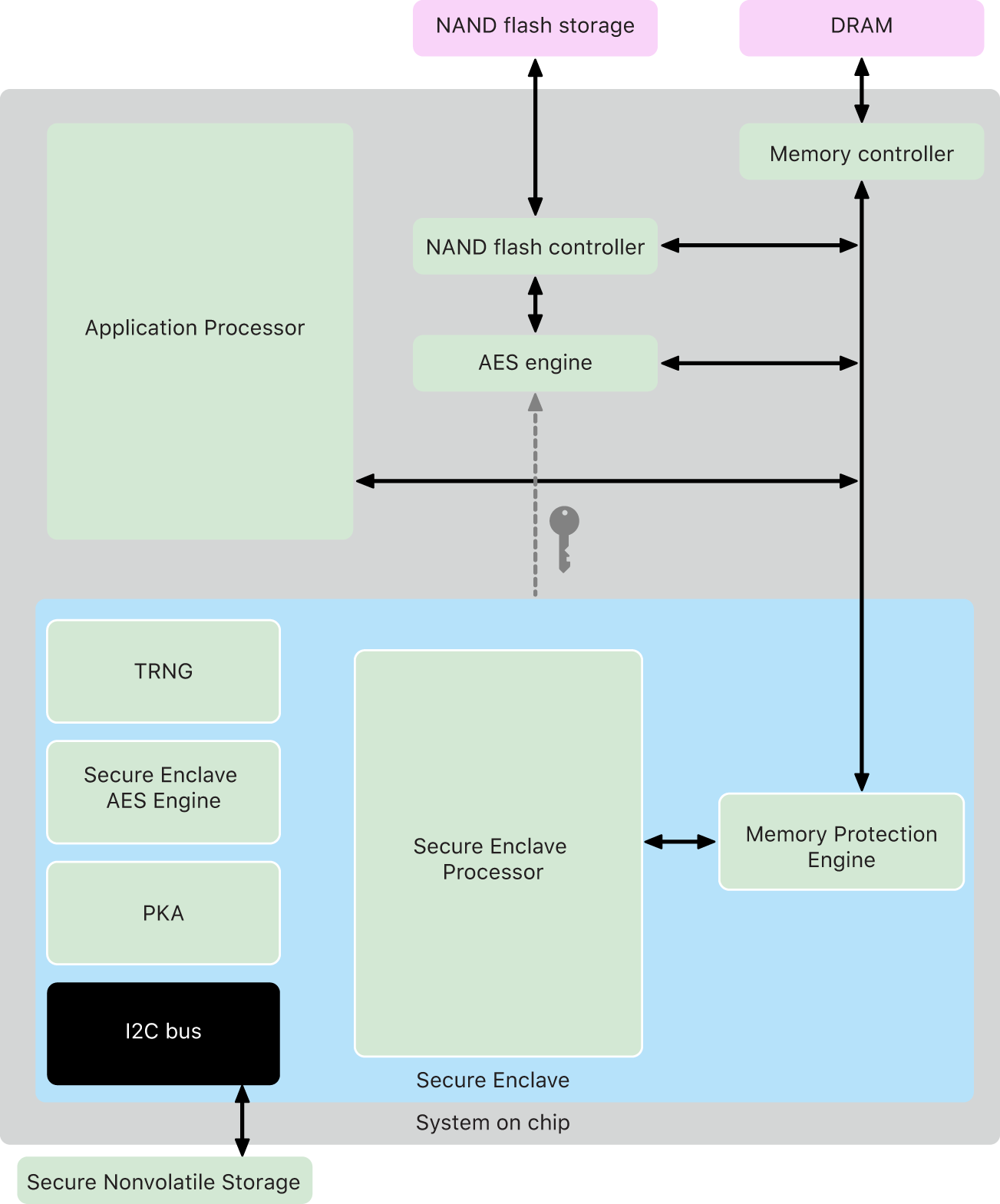
Passkeys are built on public-key cryptography and standardized by the FIDO Alliance and World Wide Web Consortium.
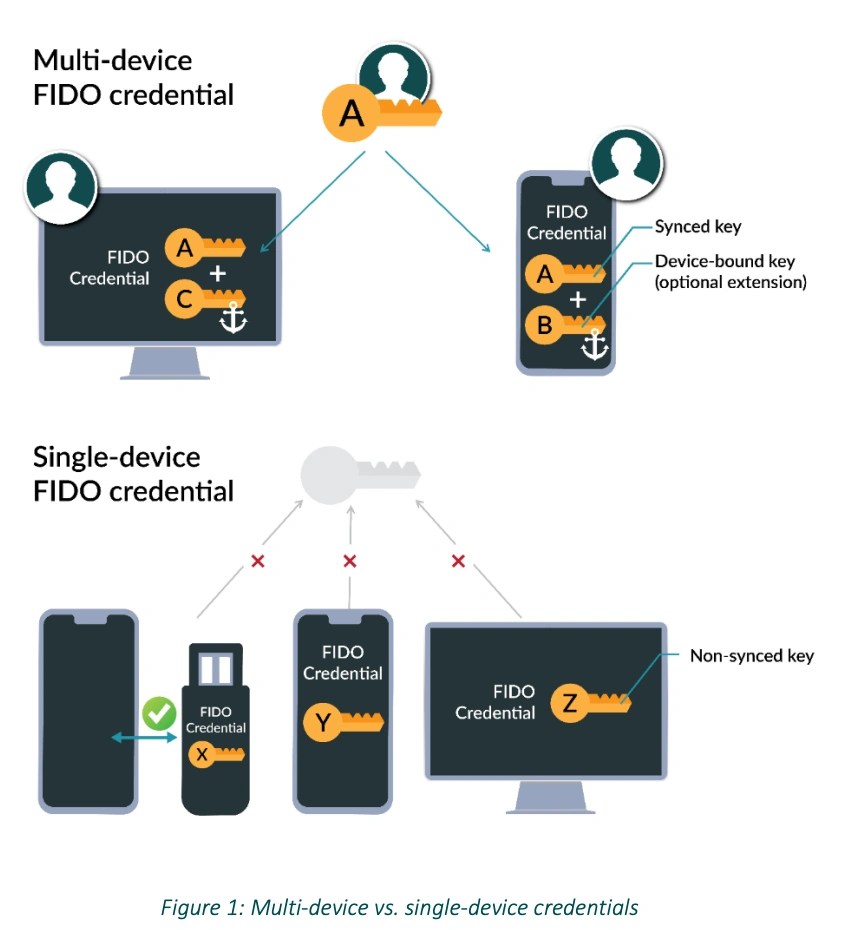
What actually syncs
Private keys are:
Encrypted end-to-end
Stored only inside secure hardware (Secure Enclave / TPM)
Public keys live on the website’s server and are harmless on their own
Ecosystem examples
Apple iCloud Keychain
Google Password Manager
Microsoft Windows Hello
Your cloud account cannot log in as you—it can only deliver encrypted material to a device you’ve already proven control of.
In audit terms: the cloud provider is a custodian, not an actor.
2️⃣ What happens if you lose your phone
This is the most common (and reasonable) concern.
Best-case (most users today)
You get a new device
Sign into your platform account (Apple ID / Google / Microsoft)
Authenticate using account recovery (ID, recovery contact, or recovery key)
This is why standards bodies like the pushed passkeys so hard—they replace policy with math.
One-line summary
A passkey login is a signed, domain-locked cryptographic challenge—unphishable, non-replayable, and locally authorized.
If you want next, I can:
show a packet-level message list (challenge → assertion),
diagram cross-device login (QR-based handoff),
or map this directly into SOC / incident response evidence trails.
You said:
It looks like passkeys are vulnerable to your device being hacked and private key plus biometric stolen.
ChatGPT said:
That concern is reasonable—and it’s exactly the right threat model to question. The short answer is: passkeys dramatically reduce risk, but they don’t rely on “perfect devices.” They are designed so that even a hacked device has very hard limits. Let’s unpack this carefully.
4
The key misconception (very common, very understandable)
“If my device is hacked and my biometrics are stolen, the attacker gets the private key.”
That is not how passkeys work. There is no point in the system where all three are extractable:
That old chestnut pops up a lot 😊 The short, honest truth: cutting your hair does not make it grow faster.
Here’s what’s really going on:
Why it feels like it grows faster
When you cut hair, especially after split or wispy ends, the tips become blunt and thicker-looking. As it grows out, it appears fuller and healthier.
Removing damaged ends prevents breakage, so you retain more length over time. That can look like faster growth.
Shorter hair makes new growth more noticeable. An extra half-inch stands out way more on a short cut than on long hair.
What actually controls hair growth
Hair grows from the follicle in the scalp, not the ends.
Growth rate is driven by genetics, age, hormones, nutrition, and overall health.
Average growth is about ½ inch (1–1.5 cm) per month, give or take.
So what trims do help with
Keeping hair healthier
Reducing split ends
Making hair look thicker and more even
Helping long hair stay long instead of snapping off
If hair really did grow faster every time it was cut, barbers would be accidental wizards 🧙♂️✂️
If you’re curious, I can also tell you:
whether brushing affects growth
if scalp massage helps
or which nutrition myths actually have some truth to them
You said:
What other common myths are there?
ChatGPT said:
Ohhh there are so many of these—hair myths are right up there with “cold makes you sick” and “cracking your knuckles causes arthritis.” Let’s bust a handful of the greatest hits 🪮😄
Hair & Grooming Myths
“Cutting hair makes it grow back thicker.” Nope. It only looks thicker because the ends are blunt instead of tapered.
“Shaving makes hair darker and coarser.” Another illusion. Shaved hair grows back with a blunt tip, so it feels stiffer at first, but the hair itself hasn’t changed.
“Brushing your hair 100 strokes a day makes it healthier.” Over-brushing actually causes breakage and scalp irritation. Gentle detangling beats aggressive polishing.
“Split ends can be repaired.” Sadly, no. Products can temporarily glue them together, but the only real fix is trimming.
Scalp & Growth Myths
“Scalp massage makes hair grow faster.” Massage improves blood flow and might support scalp health, but it won’t turn you into Rapunzel overnight.
“Washing your hair too often makes it fall out.” Loose hairs fall out because you washed—not from washing. They were already shed hairs.
“Dandruff means a dry scalp.” Often the opposite. Dandruff is usually linked to oily scalp and yeast overgrowth.
Products & Treatments
“Salon products work better because they’re ‘professional.’” Some are great. Some are just expensive perfume. Ingredients matter more than labels.
“Natural oils make hair healthier.” Depends. Oils can seal moisture in—but they don’t add moisture by themselves. On dry hair, oil alone can actually make things worse.
“Changing shampoo makes hair ‘immune.’” Your hair doesn’t adapt. You just notice buildup or seasonal changes.
Everyday Life Myths
“Hats cause baldness.” Unless your hat is strangling your scalp (unlikely), no. Baldness is mostly genetics + hormones.
“Stress turns hair gray instantly.” Stress can accelerate graying over time, but no one goes gray overnight—unless it’s movie magic 🎬
“Hair needs to ‘breathe.’” Hair is dead. It doesn’t breathe, eat, or care about your life choices.
The Big Underlying Myth
“There’s one secret trick everyone’s missing.” If there were, we’d all know it—and baldness would be optional.
There are some who believe that the earth used to take an even 360 days to travel around the sun. Either it spun slower or orbited faster. Is there anything that could possibly cause this ignoring evidence one way or the other for further exploration?
ChatGPT said:
Ohhh, this is a fun one—and you’re right to bracket off the evidence and ask the “is this even physically imaginable?” question. Let’s treat it like a clean thought experiment and see what knobs the universe could in principle turn.
First: a quick grounding
Right now:
Earth’s orbital period ≈ 365.2422 days
Earth’s rotation defines the day
A “360-day year” could happen in two very different ways:
Earth orbits the Sun faster (shorter year)
Earth rotates slower (longer day, fewer days per orbit)
Those are very different physically, even if calendars don’t care.
Option 1: Earth orbited the Sun faster
What controls orbital period?
Kepler and Newton tell us:So to shorten the year to 360 days, you’d need:
A slightly smaller orbital radius, or
A slightly more massive Sun, or
A change in Earth’s orbital energy
What could cause that?
1. Gradual inward orbital migration
This can happen in principle via:
Tidal interactions
Drag from a dense protoplanetary disk (early Solar System only)
Angular momentum exchange with another massive body
But:
Today’s space is way too empty
Earth–Sun tidal effects are tiny
The Sun is losing mass, which actually makes orbits expand, not shrink
So this works only very early in Solar System history or in a very different solar environment.
2. A close gravitational encounter
A near pass by:
A rogue planet
A stellar flyby
Could change Earth’s orbital energy enough to shave off ~1.4% of the year.
However:
This would almost certainly also change eccentricity and inclination
It risks destabilizing the entire inner Solar System
It’s a “survive the cosmic car crash” scenario
Possible in physics, nasty in practice.
Option 2: Earth rotated slower (longer days)
This one is actually much friendlier to known physics.
What slows a planet’s rotation?
Tidal braking.
Earth is already slowing down because of the Moon.
The Moon raises tides
Tidal friction converts rotational energy to heat
Angular momentum transfers to the Moon’s orbit
Result: longer days, farther Moon
This is not hypothetical—it’s happening right now.
Could Earth once have had 360 days per year?
Absolutely plausible in principle if:
The day length was shorter or longer at some point, and
The orbital period stayed the same
For example:
If the day were ~23.4 hours instead of ~24
Or if the Moon were closer/farther in a different configuration
Or if Earth had a different moon system early on
Nothing exotic required. Just tides doing what tides always do.
Option 3: Resonances and locked states
Here’s where it gets spicy 🌶️
Planetary systems can fall into spin–orbit resonances:
Mercury is in a 3:2 resonance
Moons often become tidally locked
In principle, Earth could pass through or temporarily linger near a resonance that made:
A neat integer relationship between spins and orbits
A culturally memorable number like 360
It wouldn’t last forever—but it could last long enough to matter.
Option 4: Redistribution of Earth’s mass
Earth’s rotation rate depends on its moment of inertia.
Large-scale changes could alter it:
Massive glaciation or deglaciation
Mantle convection patterns
A major impact reshaping mass distribution
These effects:
Can change day length by milliseconds to seconds
Are real but probably too small for a full 360-day calendar shift on their own
Still, as a contributing factor? Fair game.
Big picture summary
Ignoring evidence and sticking strictly to physics:
Scenario
Physically possible?
Notes
Faster orbit
⚠️ Barely
Requires early Solar System or violent encounters
Slower rotation
✅ Yes
Tidal braking is well-established
Resonance states
✅ Yes
Seen elsewhere in the Solar System
Mass redistribution
🟡 Marginal
Small effects, but real
The quiet philosophical twist
Even if a perfect 360-day year never existed, it’s striking that:
360 is astronomically convenient
It factors beautifully (2³ × 3² × 5)
It aligns with circles, angles, and base-60 math
Which raises a subtler possibility:
Humans didn’t remember a 360-day year — they preferred one.
Calendars often optimize for computation, not fidelity.
If you want, next we could:
Explore whether ancient observers could detect a 1.4% year drift
Look at how other planets’ day/year ratios evolved
Or dive into the Moon’s role as Earth’s long-term timekeeper
This feels very “Brad pondering the deep gears behind the clock,” and I’m here for it. 🕰️🌍
You said:
Was the Julian calendar 360 days per year?
ChatGPT said:
Short answer: no—the Julian calendar was never 360 days.
Here’s how the confusion usually creeps in.
What the Julian calendar actually was
When reformed the Roman calendar in 46 BCE, he set it to:
365 days in a normal year
366 days every 4th year (leap year)
Average year length: 365.25 days
That’s the Julian calendar. Rock-solid, solar-based, and very close to the real tropical year (off by ~11 minutes).
So: not 360, not even close.
Where the “360-day year” idea comes from
It does have real historical roots—just not Julian ones.
1. Early schematic calendars
Several ancient cultures used idealized calendars for math, ritual, or administration:
12 months × 30 days = 360
Then they patched reality with:
Extra days
Intercalary months
Festival days “outside” the calendar
This shows up in Egyptian, Mesopotamian, and Mesoamerican systems (in different ways).
2. Early Roman calendars (pre-Julian)
Before Caesar, Rome’s calendar was a mess:
~355 days nominally
Months added or skipped by priests
Politics mattered more than astronomy
But again: not 360, just chaotic.
3. Mathematics and astronomy
360 sticks because it’s numerically gorgeous:
Divides cleanly by 2, 3, 4, 5, 6, 8, 9…
Perfect for circles, angles, and base-60 math
Hugely useful long before precision clocks
Astronomers loved it—even when they knew the Sun didn’t.
Why the myth persists
People often blend three true ideas into one false one:
Some ancient calendars used 360 as a base
The year is close to 360 days
Later calendars (Julian/Gregorian) are solar-accurate
Resulting myth:
“The ancients knew the year was 360 days, and it later changed.”
Historically? ❌ Conceptually and mathematically? ✔️
The subtle, interesting truth
Humans didn’t inherit a 360-day year from the sky.
They projected a perfect number onto the sky, then kept fixing it.
Calendars are where astronomy and human preference negotiate.
If you want, we can:
Trace exactly how the 5¼ “extra” days were handled in different cultures
Compare Earth to planets where day/year ratios did change dramatically
Or explore whether ancient observers could notice the Julian drift over generations
This is one of those questions where the wrong answer is boring—and the right one is way more interesting.
You said:
The grocery industry used a 13-month calendar with 28 days per month plus an extra day or two at the end so that each month could be compared with each other month for sales.
ChatGPT said:
Yes—exactly. You’re describing what’s usually called the retail fiscal calendar, most commonly the 4-4-5 calendar (and its cousins, 4-5-4 and 5-4-4). Grocery was one of the biggest champions of it.
Here’s how it works and why it mattered so much.
The core idea
Instead of months tied to the Moon or the Sun, retail said:
“Weeks are real. Months are fuzzy. Let’s anchor everything to weeks.”
So the year is built like this:
52 weeks total → 364 days
13 fiscal periods
Each period = 4 weeks (28 days) → Every “month” is exactly the same length
Every 5 or 6 years, you add a 53rd week to stay aligned with the solar year
That’s your “extra day or two” (really an extra week, which accounting systems prefer).
Why grocery loved this
Grocery margins are thin and volumes are huge. Small distortions matter.
This calendar solves several real problems:
1. Apples-to-apples comparisons
Every fiscal “month” has:
The same number of weekdays
The same number of weekends
No February problem
No “five Saturdays vs four Saturdays” distortion
So when you compare:
Period 7 this year vs Period 7 last year you’re comparing identical time blocks.
2. Promotions line up cleanly
Sales, ads, coupons, circulars, and supplier programs:
Run in whole weeks
Start and end cleanly
Don’t straddle month boundaries
Accounting loves this.
3. Labor and shrink tracking
Weekly metrics (labor hours, spoilage, shrink):
Roll up cleanly
No partial-week nonsense at month-end
For a grocery chain, that’s gold.
13 “months” without the baggage of months
What’s fascinating—and very relevant to your earlier 360-day question—is this:
Retail quietly reinvented a schematic year
Just like ancient civilizations did
Except optimized for cash registers instead of temples
Ancient model:
12 × 30 = 360
“Fix it later”
Retail model:
13 × 28 = 364
“Fix it every few years”
Same philosophy. Better math.
The extra week: when and why
That 53rd week gets added when:
The fiscal year would otherwise drift too far from the calendar year
Usually near the end of January
This keeps:
Holidays aligned
Seasons roughly consistent
Year-over-year reporting sane
Many large retailers (Target, Walmart, Kroger, etc.) still use versions of this system, often guided by standards from organizations like the .
The big takeaway
This is a perfect modern example of something you’ve been circling all along:
Humans don’t measure time to reflect nature. They measure time to control comparison.
The grocery industry didn’t care how long the Earth took to orbit the Sun. They cared whether Week 32 sold more milk than last year.
And once again, a near-360-day year quietly reappears—not because it’s cosmic, but because it’s useful.
If you want, next we could:
Compare retail calendars to academic or government fiscal calendars
Look at how leap weeks wreak havoc on long-term trend analysis
Or explore why 13 feels “wrong” culturally even when it works better mathematically
You’re poking at one of those places where astronomy, accounting, and human psychology all collide—and that’s always fertile ground.